Working-time rules
Every hour, approval and rule change is logged. Rest rules and overtime limits are checked on every plan. Sign-in uses Microsoft Entra ID, and access is controlled by role.
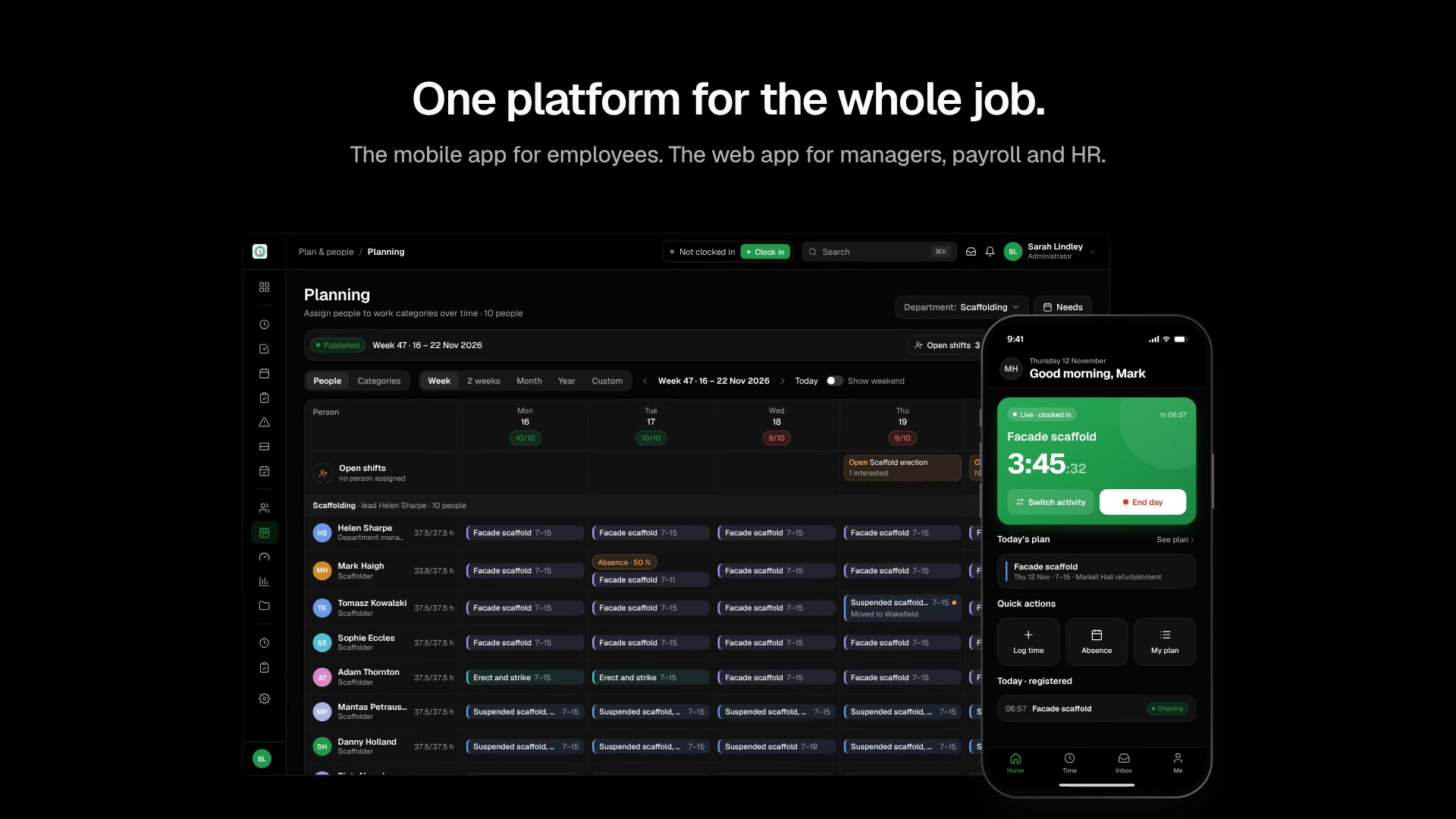
VRS is used to plan shifts and record working hours on the phone. Approved hours go to the payroll or ERP system you already use.
A short film about shift planning, time tracking and sending approved hours to payroll.
In use at companies in industry, construction and field service in Norway














 Official Microsoft Partner & ISV
VRS handles shift work, project work and event staffing. The hours go through the same approval before they reach payroll.
Multi-shift production with rest rules and load per person.
Crews on several sites and projects, with hours registered on the correct project.
Night and weekend work, with supplements by time of day.
Events with rooms, a run sheet and staffing per role.
Shifts and events are published to the crew, and hours are registered on the day.
Customer stories from Odda Technology, Høyer and FOMOWorks.
 Watch the video
“Before VRS, payroll corrections were a monthly nightmare. Now the data is cleaner, and we spend far less time fixing errors before payday.”
 Watch the video
“Implementation was surprisingly fast. Our team picked it up quickly, and within two weeks everyone was using the app without any prompting from management.”
 Watch the video
“A single hub for scheduling, time, and billing data made a real difference. We finally have the visibility and control we were missing across our field teams.”
Planning, time capture, payroll-ready hours, integrations or AI.
Questions are stored anonymously to improve VRS. Don't share personal info.
Plan shifts and staffing for all sites in one view. VRS shows conflicts and missing cover before you publish the plan.
Onboarding, leave, sick leave and statutory reporting are kept in one employee record.
Overtime, supplements and agreement rules are calculated before the hours go to your payroll or ERP system. Nobody has to type the hours in again.
Assign people by skill, site and availability. VRS checks rest rules and overtime limits while you plan.
Employees clock in on their own phone. Breaks and task changes are registered as they happen. No terminals or paper timesheets are needed.
Managers see which days are ready, which are waiting and which need a check. They approve the week and only look closer at the days that are flagged.
Approved hours are exported with your agreement rules applied, in a format your payroll system accepts.
Every hour, approval and rule change is logged. Rest rules and overtime limits are checked on every plan. Sign-in uses Microsoft Entra ID, and access is controlled by role.


You keep your current payroll system. VRS sends approved hours to Business Central, Visma, Unimicro and other systems.
Employees clock in, see their shifts and apply for leave on their own phone. At Høyer, the whole team was using the app within two weeks, without formal training.
Shifts, skills and staffing for every hall, site and crew in one view. Missing cover shows up while you plan.
Compare the hours each project needs with the hours you have planned, and see who has too many hours before it leads to overtime.
Hours are registered on the project and cost centre when they are recorded, so the reports are ready when the week is closed.
No. VRS exports the hours in a format your current payroll or ERP system accepts.

When a company is set up, a home region is chosen: Norway, Germany or Switzerland. Norway is the default. Data can be held on the shared platform, or in a dedicated database or a dedicated environment where the engagement requires it. The shared platform is the default.
Yes. The statutory working-time rules for your country are checked on every plan.
Yes. You can start with one team or department and add the rest of the company later.
Operations managers, supervisors, employees, payroll and HR. Employees use the mobile app. Supervisors and payroll see which hours are ready, which are waiting and which need a check.
We use cookies to understand how the site is used and to improve it. You can accept or decline. See the cookie policy for more information.