
Hours on the correct project
Each hour is registered with project, cost centre and activity when it is recorded. You can report budget against actual hours directly.
VRS has eight modules. They use the same data, the same approval and the same audit log, so nothing has to be entered twice.
A short film about planning, clocking in, approvals and sending hours to payroll.
Plan the week by skill and site. Rest rules and overtime limits are checked while you assign shifts.
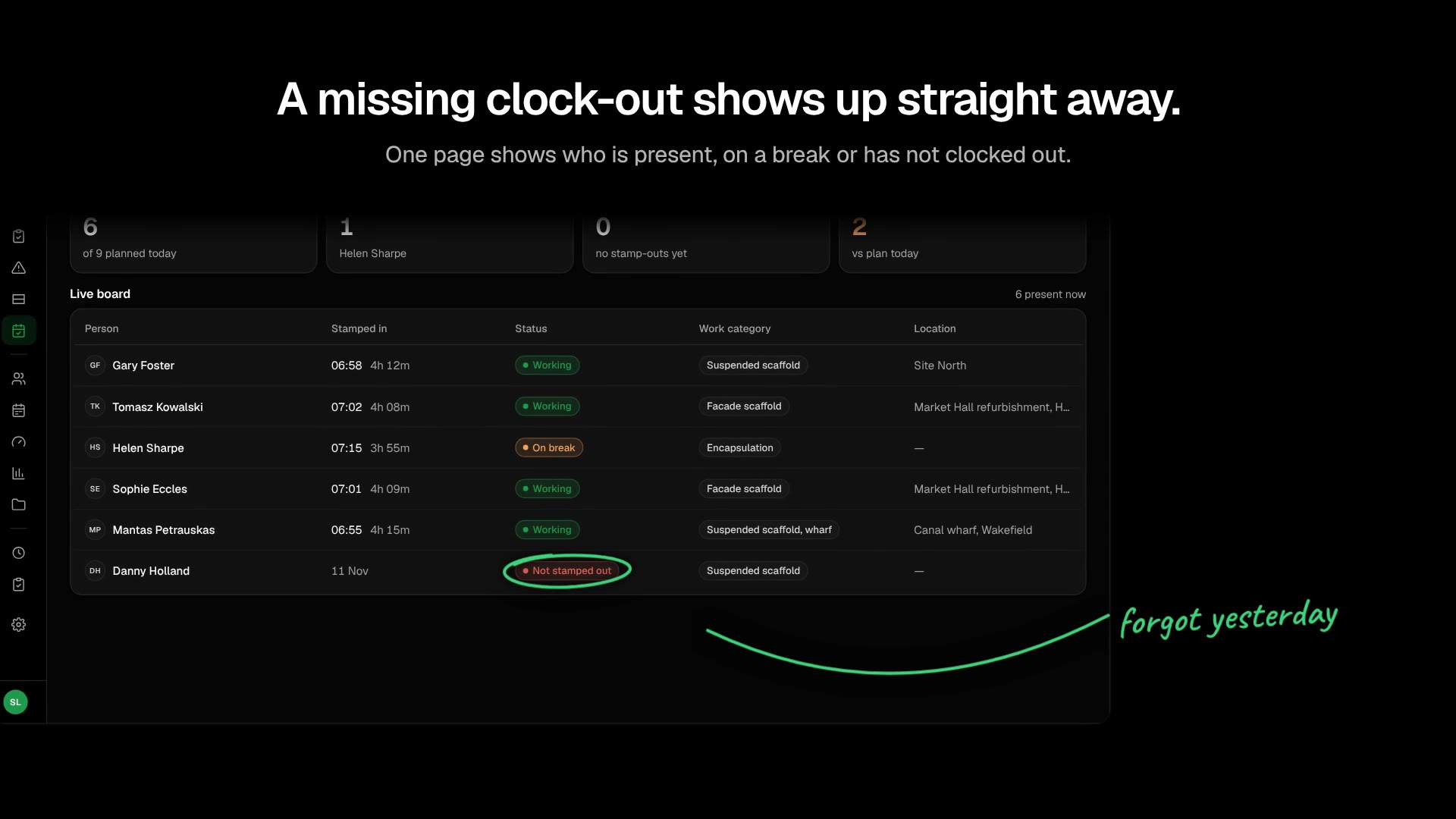
Employees clock in on their own phone. Breaks and task changes are registered as they happen.
See who is on site. A missing location never blocks a clock-in. Unverified clock-ins go to the manager for review.
Onboarding, leave, sick leave and statutory reporting in one record per employee, for the whole employment.
Each hour is registered with project, cost centre and activity when it is recorded. You can report budget against actual hours directly.
Registrations are stored on the phone when there is no signal, for example in a tunnel or a basement, and sent when the phone is online again. The employee can see the whole day the entire time.
Overtime limits and timebank balances are checked when the plan is published and again at approval. Approval can have several levels by department, role and project.
Overtime, rest rules and supplements are named rules with readable logic. Every calculated line shows the rule it comes from.






Approved lines are sent to your payroll or ERP system, for example Business Central, Visma or Unimicro.
Contracts, certificates and health declarations per employee, with reminders before anything expires.
“Before VRS, payroll corrections were a monthly nightmare. Now the data is cleaner, and we spend far less time fixing errors before payday.”

We use cookies to understand how the site is used and to improve it. You can accept or decline. See the cookie policy for more information.